Connected services
Your delegate can connect to external services — calendars, project management tools, databases, APIs — and act on them directly from a natural conversation. Once a service is connected, you can say things like “schedule a meeting with John next Tuesday at 3pm” and it just happens.
This works through a standard called the Model Context Protocol (MCP). Think of it like installing apps: each connected service tells your delegate what it can do, and your delegate figures out how to use it automatically.
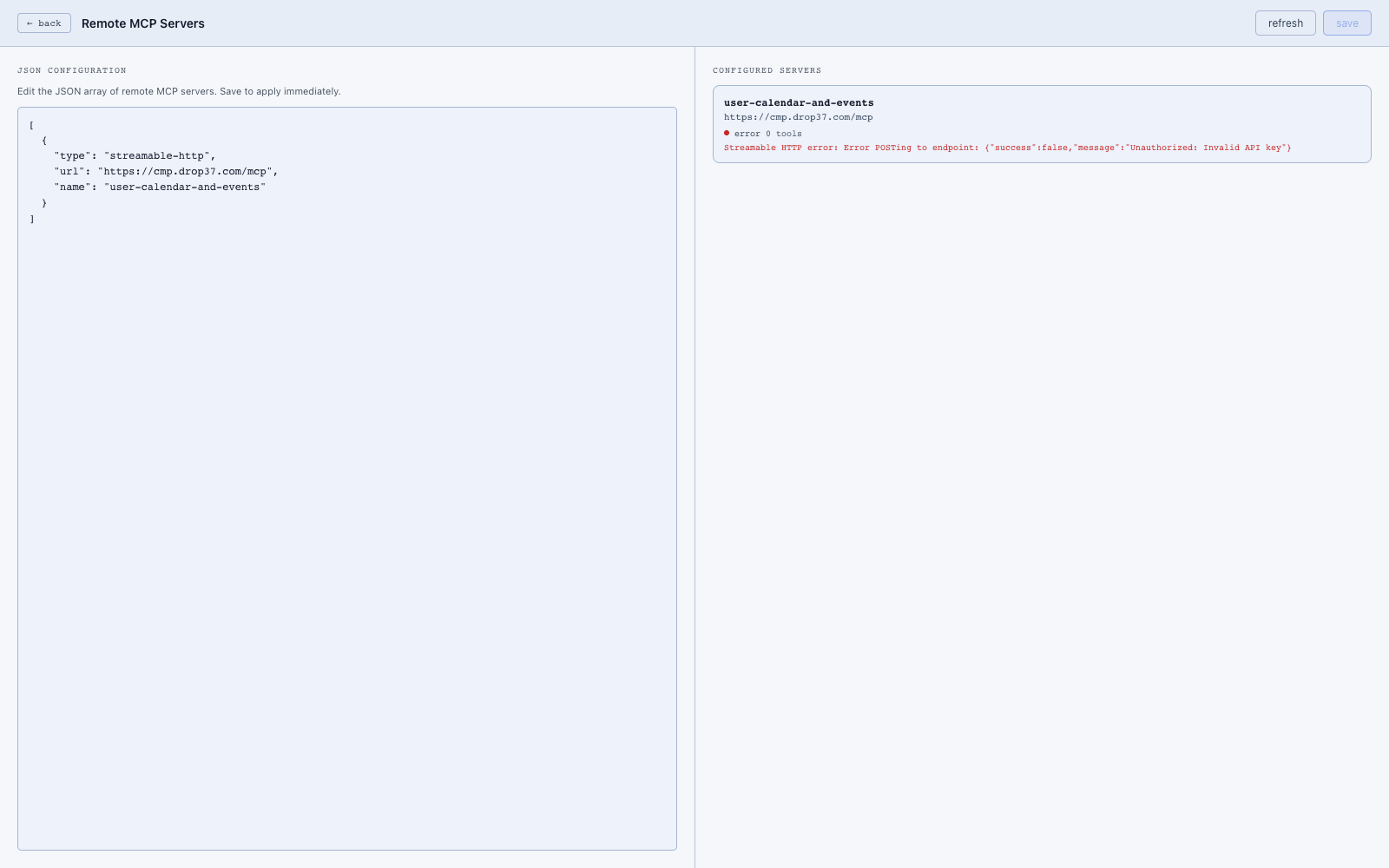
Connecting a service
- Go to Settings → MCP Servers.
- Click Add server.
- Paste the URL provided by your service (your administrator or the service’s documentation will have this).
- Click Save.
That’s it. Your delegate discovers what the service can do and makes it available immediately — no restart needed.
What you can do with connected services
Once a service is connected, you interact with it through normal conversation. Examples:
- Calendar: “What’s on my calendar tomorrow?” or “Book a 30-minute call with Sarah on Friday afternoon.”
- Project management: “Create a task to follow up with the client by end of week.”
- Custom data: Whatever your service exposes becomes something your delegate can read, create, or update on your behalf.
Controlling access
Not every connected service needs to be available to every part of your delegate. Agent policies let you decide which services each agent can use — for example, you might give the everyday assistant calendar access but keep sensitive database tools restricted to a more controlled workflow.
See Agents & policies for details.
Technical details
Services are registered in runtime-data/mcp-servers.json:
{
  "servers": [
    {
      "id": "user-calendar-and-events",
      "url": "https://cmp.drop37.com/mcp",
      "transport": "http"
    }
  ]
}
You can also read and write this config via the API:
| Method | Path |
|---|---|
| GET | /api/mcp/config |
| POST | /api/mcp/config |
Tool discovery
At startup the MCP adapter (src/mcp/) connects to each configured server, lists its tools, and registers them through the canonical tool registry under the mcp provider:
[mcpClient] Connecting to MCP server user-calendar-and-events at https://...
[mcpClient] Discovered 5 tools on user-calendar-and-events
[mcpAdapter] MCP discovery complete. 5 tool(s) registered.
Access control
Agent policies govern which agents can call which MCP tools. MCP tools are tagged so you can allow them in bulk by tag. See runtime-data/agent-policies.json.